PlayStation 4
How to join Minecraft Bedrock servers on PS4
Updated
The PS4 is the console we test Warpling on, so this is the page where we can be most specific. Minecraft on PS4 lists the featured servers and gives you no field for an address. It does list LAN worlds on the Friends tab, and that is all you need to join any Bedrock server.
What the PS4 needs
- PlayStation Plus, active, for online play.
- A Microsoft account signed in inside Minecraft (the game offers this from its main menu).
- An up-to-date game. Servers usually take the newest version first. Check for a Minecraft update on the PS4 before you start.
Step by step on a PS4
- Connect your phone to the same Wi-Fi as the PS4. A PS4 on a cable to the same router counts.
- In Warpling, pick your server. Its status shows before you start: online, players, latency, version.
- Tap Start. Warpling shows a LAN world on your Wi-Fi and tells you which server you will be sent to.
- On the PS4: Minecraft, Play, Friends. The world appears under LAN games in a few seconds. Join it.
- You arrive on the server. Your phone has done its job; put it away.
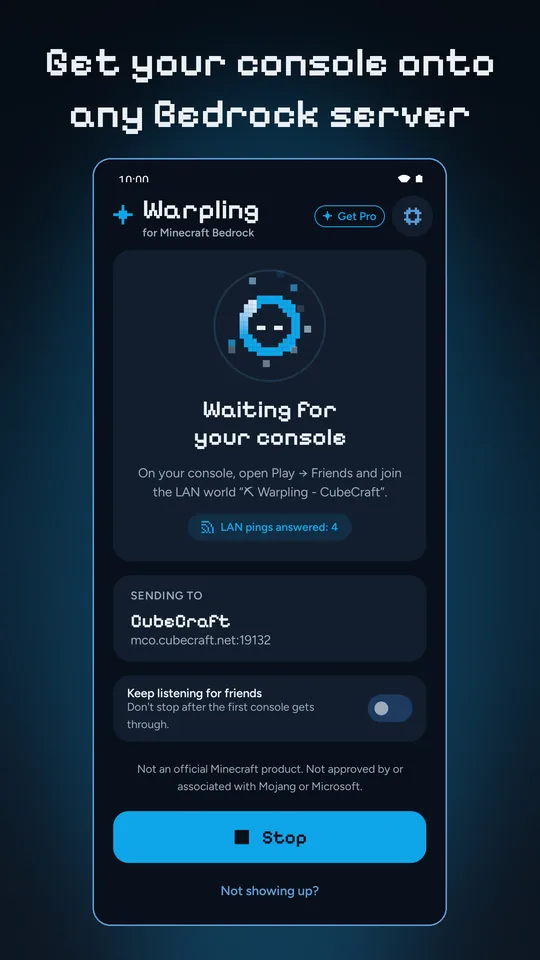
What we see go wrong most on PS4
- The PS4 is on the 2.4 GHz band, the phone on 5 GHz. Usually fine on one router. A problem only when the router gives each band its own network with devices kept apart, or when one of them is a guest network.
- The world appears and joining hangs. The server and the PS4 are on different game versions. Warpling's Not showing up? says so and offers the version to show.
- Back at the menu after a second. The server refused the PS4. PlayStation Plus, the Microsoft sign-in or a full server are the usual reasons.
- The phone locked and the world vanished. On some Android phones a battery saver ends apps in the background. Not showing up? spots this and opens the right setting.
More in the eight LAN fixes.
PS4 Pro and PS4 Slim
Same game, same steps. The model does not matter; the network does.
Not an official Minecraft product. Not approved by or associated with Mojang or Microsoft. Server names belong to their owners; listed servers are run by them, not by Warpling.