Xbox
How to join Minecraft Bedrock servers on Xbox Series X|S and Xbox One
Updated
On Xbox Series X, Series S and Xbox One, Minecraft's Servers tab shows the featured partner servers and nothing else. There is no field for an address. Xbox can still join any Bedrock server, through a LAN world on your home network. This page covers the Xbox-specific parts; the complete guide compares every method.
Before you start: three Xbox checks
- Online membership. Online multiplayer on Xbox needs Game Pass Essential (formerly Core) or higher. Without it, servers refuse the console.
- Multiplayer allowed. In the Xbox privacy settings for the account, joining multiplayer games has to be allowed. On a child account a parent sets this in Xbox Family Settings.
- Signed in. Minecraft uses the Microsoft account you are signed in to on the Xbox. A guest profile cannot join servers.
Join a server from your Xbox with Warpling
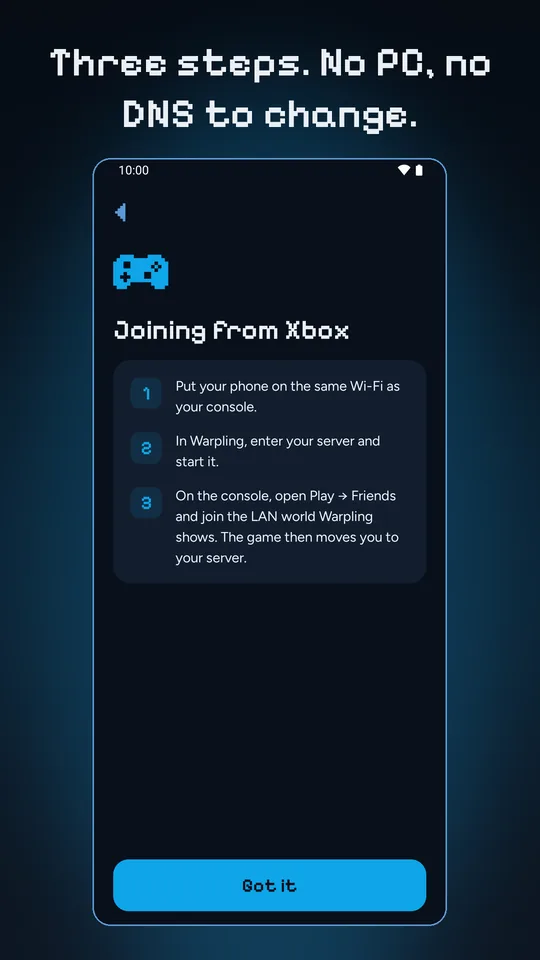
- Connect your phone to the same Wi-Fi as your Xbox. A wired Xbox is fine if the cable goes to the same router.
- Open Warpling and pick a server: type the address and port (usually 19132), choose a saved one, or pick from Browse.
- Tap Start. Your phone shows a LAN world.
- On the Xbox, open Minecraft, choose Play, then the Friends tab. Under LAN games, select the world.
- The game moves you on to the server. Your phone can go back in your pocket.
Series X|S and Xbox One: any difference?
No. All three run the same Bedrock game with the same Play screen and Friends tab, so the steps are identical. We test Warpling most on a PS4; Xbox joins LAN worlds the same way. If yours does not, tell us.
Xbox-specific trouble
- Xbox on Ethernet, phone on Wi-Fi, no world. Usually fine, unless the Xbox is plugged into a second router or a mesh node running its own network. Both devices need to be behind the same router. Compare the first three numbers of each device's address (in the Xbox network settings and in Warpling's Not showing up?).
- The world shows, then you are back at the menu. Most often the membership, the privacy setting above, or the server not taking your game version yet. Update Minecraft on the Xbox when the store offers it.
- Nothing on the Friends tab at all. Run through the eight LAN fixes. Guest networks and VPNs on the phone are the top two.
Other ways in on Xbox
Changing the Xbox's DNS settings to a community DNS server also works, at the cost of routing all your console's lookups through someone else. A PC on your network running a LAN proxy works too, if you keep one on. Both are covered, with their trade-offs, in the complete guide.
Not an official Minecraft product. Not approved by or associated with Mojang or Microsoft. Server names belong to their owners; listed servers are run by them, not by Warpling.